开关

  • 更新时间:2026-03-15 10:39:07

开关-switch

原生类型:{com.google.android.material.materialswitch.MaterialSwitch}

开关:顾名思义,就是开关的意思,只有打开或者关闭两种状态。

一、常用属性

color - 主题颜色

设置主题颜色
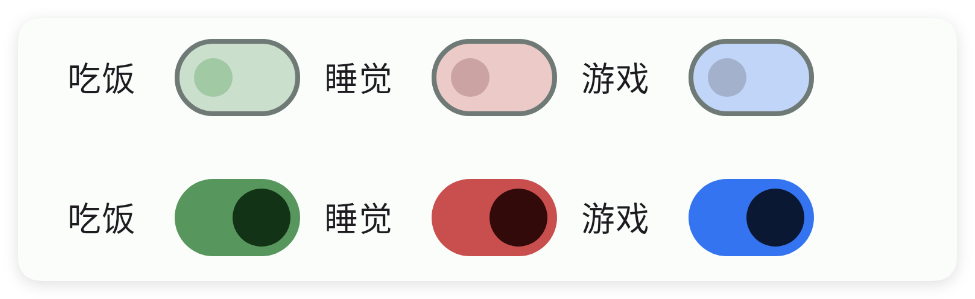
<ui>
    <statusbar />
    <linear dir="h" w="max">
        <switch color="#57965C" margin="5" text="吃饭" />
        <switch color="#C94F4F" margin="5" text="睡觉" />
        <switch color="#3574F0" margin="5" text="游戏" />
    </linear>
    <linear dir="h" w="max">
        <switch check="true" color="#57965C" margin="5" text="吃饭" />
        <switch check="true" color="#C94F4F" margin="5" text="睡觉" />
        <switch check="true" color="#3574F0" margin="5" text="游戏" />
    </linear>
</ui>

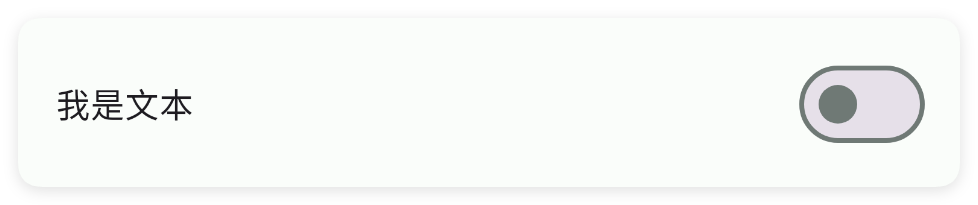
text - 文本

设置文本

<ui>
    <statusbar />
    <switch text="我是文本" w="max" />
</ui>

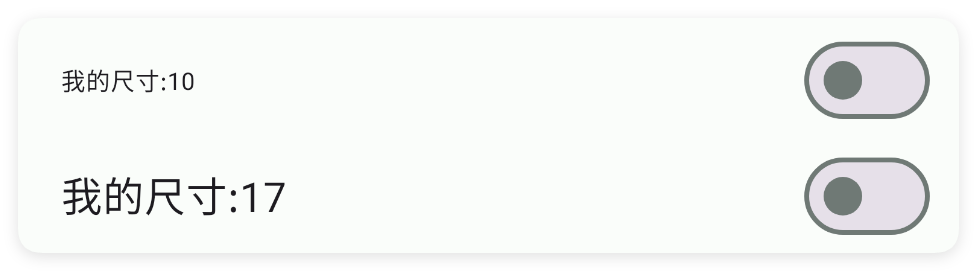
textSize - 文本尺寸

设置文本尺寸

<ui>
    <statusbar />
    <switch text="我的尺寸:10" textSize="10" w="max" />
    <switch text="我的尺寸:17" textSize="17" w="max" />
</ui>

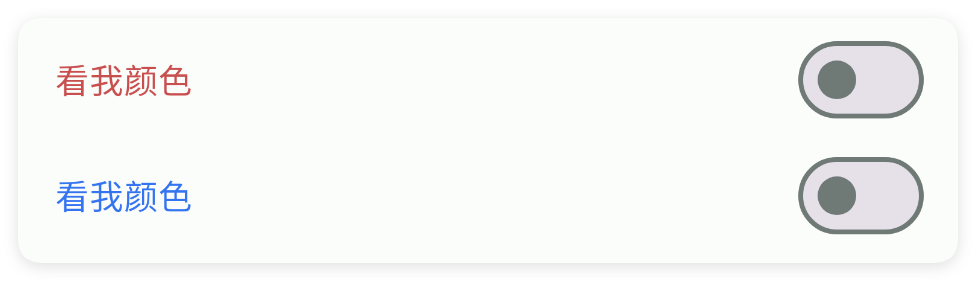
textColor - 文本颜色

设置文本颜色

<ui>
    <statusbar />
    <switch text="看我颜色" textColor="#C94F4F" w="max" />
    <switch text="看我颜色" textColor="#3574F0" w="max" />
</ui>

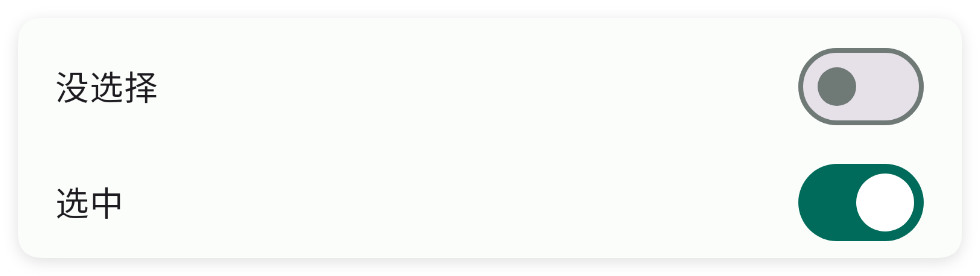
check - 是否选中

设置是否选中

<ui>
    <statusbar />
    <switch check="false" text="没选择" w="max" />
    <switch check="true" text="选中" w="max" />
</ui>

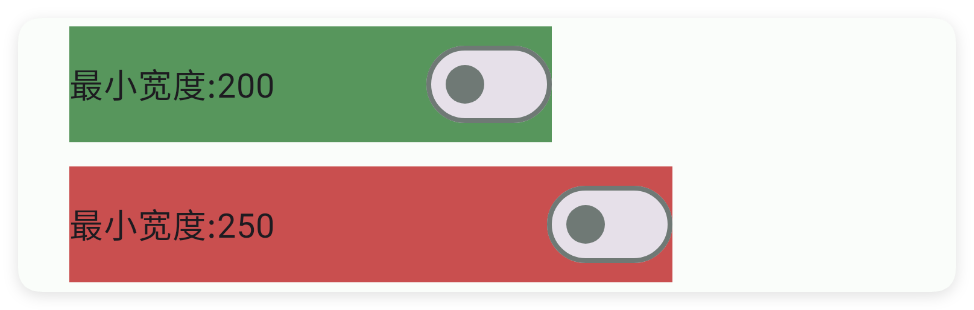
minW - 最小宽度

设置最小宽度

<ui>
    <statusbar />
    <linear dir="v" w="max">
        <!--为了看清效果,这里设置背景颜色-->
        <switch bg="#57965C" margin="5" minW="200" text="最小宽度:200" />
        <switch bg="#C94F4F" margin="5" minW="250" text="最小宽度:250" />
    </linear>
</ui>

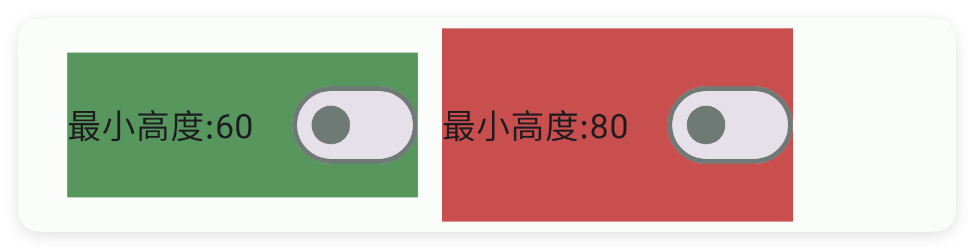
minH - 最小高度

设置最小高度

<ui>
    <statusbar />
    <linear dir="h" w="max">
        <!--为了看清效果,这里设置背景颜色-->
        <switch bg="#57965C" margin="5" minH="60" text="最小高度:60" />
        <switch bg="#C94F4F" margin="5" minH="80" text="最小高度:80" />
    </linear>
</ui>

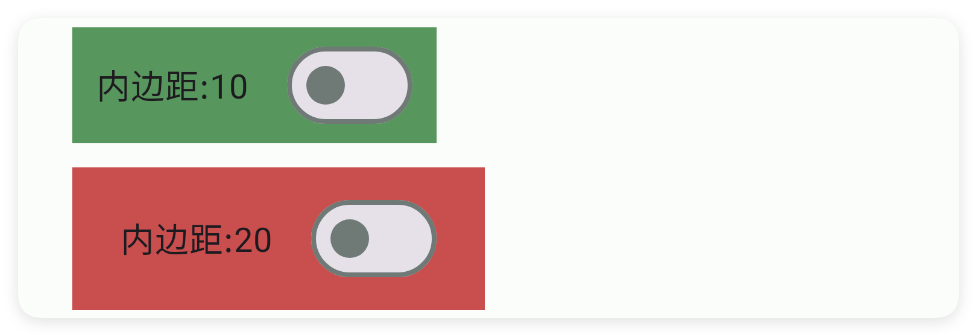
padding - 内边距

设置内边距

<ui>
    <statusbar />
    <linear dir="v" w="max">
        <!--为了看清效果,这里设置背景颜色-->
        <switch bg="#57965C" margin="5" padding="10" text="内边距:10" />
        <switch bg="#C94F4F" margin="5" padding="20" text="内边距:20" />
    </linear>
</ui>

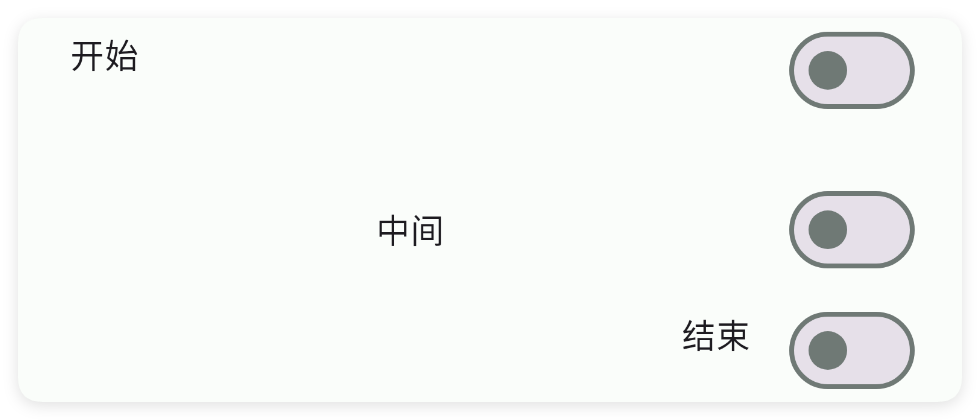
gravity - 重力

设置重力

<ui>
    <statusbar />
    <linear dir="v" w="max">
        <switch gravity="start" margin="5" text="开始" w="max" />
        <switch gravity="center" margin="5" text="中间" w="max" />
        <switch gravity="end" margin="5" text="结束" w="max" />
    </linear>
</ui>

bg - 背景颜色

设置背景颜色

<ui>
    <statusbar />
    <linear dir="h" w="max">
        <switch bg="#57965C" margin="5" text="吃饭" />
        <switch bg="#C94F4F" margin="5" text="睡觉" />
        <switch bg="#3574F0" margin="5" text="游戏" />
    </linear>
</ui>

bgImg - 背景图片

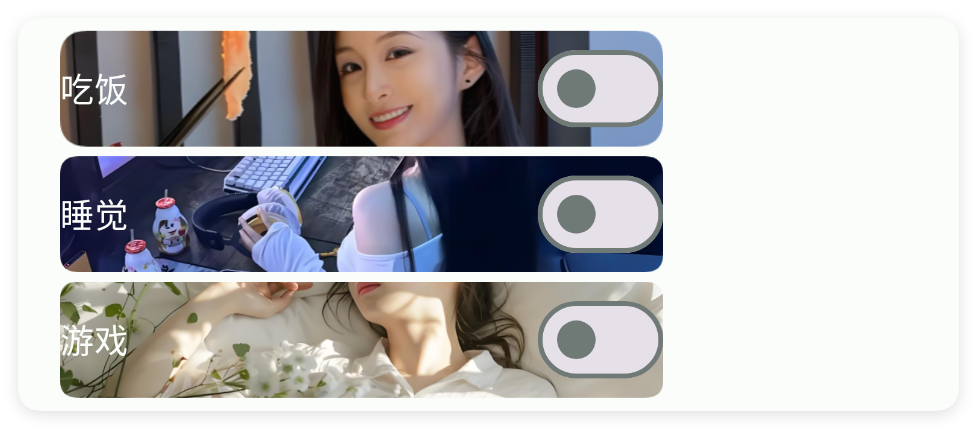
设置背景图片

<ui>
    <statusbar />
    <linear dir="v" w="max">
        <!--
        textColor="bg" 是一种动态设置文本颜色的方式,表示当前字体颜色是背景颜色。
        -->
        <switch bgImg="example/$ui - 交互界面/03.check-复选框/img/bg01.png" margin="2"
            text="吃饭" textColor="bg" w="250" />
        <switch bgImg="example/$ui - 交互界面/03.check-复选框/img/bg02.png" margin="2"
            text="睡觉" textColor="bg" w="250" />
        <switch bgImg="example/$ui - 交互界面/03.check-复选框/img/bg03.png" margin="2"
            text="游戏" textColor="bg" w="250" />
    </linear>
</ui>

二、常用函数

check(checked)

设置选中状态

  • 参数 : checked {boolean} 是否选中
//解析布局,获得ui对象
let ui = $ui.layout("./mUi.xml");
//获取控件
let switzh = ui.id("mSwitch");
//设置选中状态
switzh.check(true);

isChecked()

判断选中状态

  • 返回 : {boolean} 是否选中了
  • 版本 : 1.8.2
//解析布局,获得ui对象
let ui = $ui.layout("./mUi.xml");
//获取控件
let switzh = ui.id("mSwitch");
//判断选中状态
if(switzh.isChecked()){
    log("选中了");
}

onCheck(callback)

设置状态改变监听

  • 参数 : callback ((checked)=>{}) 回调
//解析布局,获得ui对象
let ui = $ui.layout("./mUi.xml");
//获取控件
let switzh = ui.id("mSwitch");
//设置状态改变监听
switzh.onCheck((checked)=>{
    //..
});

setGravity(gravity)

设置控件的对齐方式

  • 参数 : gravity {String} 例如:"center|bottom"
//解析布局,获得ui对象
let ui = $ui.layout("./mUi.xml");
//获取控件
let switzh = ui.id("mSwitch");
//设置控件的对齐方式
switzh.setGravity("center|bottom");

setText(text)

设置文字

  • 参数 : text {String} 文字
//解析布局,获得ui对象
let ui = $ui.layout("./mUi.xml");
//获取控件
let switzh = ui.id("mSwitch");
//设置文字
switzh.setText("是否开启");

getText()

获取文字

  • 返回 : {String} 文字
//解析布局,获得ui对象
let ui = $ui.layout("./mUi.xml");
//获取控件
let switzh = ui.id("mSwitch");
//获得文字
let text = switzh.getText();

setColor(color)

设置主题颜色

  • 参数 : color {String} 颜色
//解析布局,获得ui对象
let ui = $ui.layout("./mUi.xml");
//获取控件
let switzh = ui.id("mSwitch");
//设置主题颜色
switzh.setColor("#26282E");

setTextColor(color)

设置文字颜色

  • 参数 : color {String} 颜色
//解析布局,获得ui对象
let ui = $ui.layout("./mUi.xml");
//获取控件
let switzh = ui.id("mSwitch");
//设置文字颜色
switzh.setTextColor("#26282E");